Does Tesla support Android Auto?
Updated: 15 November 2026
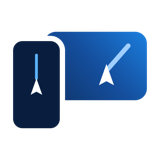
No. As of November 2026, Tesla cars support neither Android Auto nor Apple CarPlay. You can still put any Android app on the Tesla screen: NavMirror sends your phone’s screen to the Tesla browser over your hotspot, and on Android you can control the phone by tapping the car screen.
What you get
- Your phone’s screen live on the Tesla display: Google Maps, Waze, Yandex Navigator, 2GIS, music, messages.
- Touch control from the car screen: a tap or swipe on the Tesla display is passed to the phone (Android only).
- No mobile data for the picture: it goes from the phone to the car inside the hotspot.
How to set it up
- Install NavMirror for Android from navmirror.com/android and sign in.
- Turn on the phone’s hotspot and join it from the Tesla’s Wi-Fi settings. Tick “Keep connected in Drive”.
- Tap “Start broadcast” in the app, then open navmirror.com/live in the Tesla browser.
- To control the phone from the car screen, turn on NavMirror in the phone’s Accessibility settings. The app walks you through it.
Cars with Android Auto screens
NavMirror for Android also shows its picture on Android Auto head units, and NavMirror Car can be installed on Android car screens without a usable browser (BYD, Changan and others).
Try your phone on the Tesla screen
3 days free, no card needed. Then 3 AZN for 30 days, nothing renews automatically.
Start 3 days freeQuestions and answers
Can I use Google Maps on a Tesla?
Not as a Tesla app. With NavMirror, the Google Maps app on your phone appears on the Tesla screen and keeps its live traffic and your saved places.
Does touch control work on iPhone?
No. Tapping the car screen to control the phone works on Android. On iPhone the picture is shown and you use the phone itself.
Does it drain mobile data?
The picture uses none. Your navigation app uses its usual small amount of data for maps and traffic.